LEARNING MODULE
Assign trainings. Track progress. Prove certificates.
Compliance.Learning enables you to assign mandatory compliance trainings, guide employees through the learning process, and document successful completion traceably with certificates and meaningful reports.

Manage trainings centrally

Track progress automatically

Automated reminders for trainings

Audit-ready at the push of a button

Document completion in an audit-proof manner
How Compliance.Learning works

Select or configure a training
Select existing trainings from the library or upload your own content. Topics such as data protection, AI, information security, and occupational safety are already available.



Define target groups
Assign employees, departments, or groups. The assignment is made by matrix – not individually and manually, but structured by organizational unit.


Assign the training
When the assignment is saved, employees automatically receive an invitation. Open tasks appear immediately in the Employee Portal.


Employees complete the training
The training runs in the branded Employee Portal – with video modules, chapters, and optional knowledge tests. Also accessible by smartphone or QR code.

Certificate is created
After successful completion, a certificate is generated automatically and stored in the Employee Portal. No manual step, no external filing necessary.


Evaluate progress
Admins can see at any time who has completed, who is still outstanding, and which certificates are available. Reports can be exported in a few clicks.

Features & evidence
Real processes. Clear evidence. Audit-proof documentation across all modules of the Compliance.Portal platform.
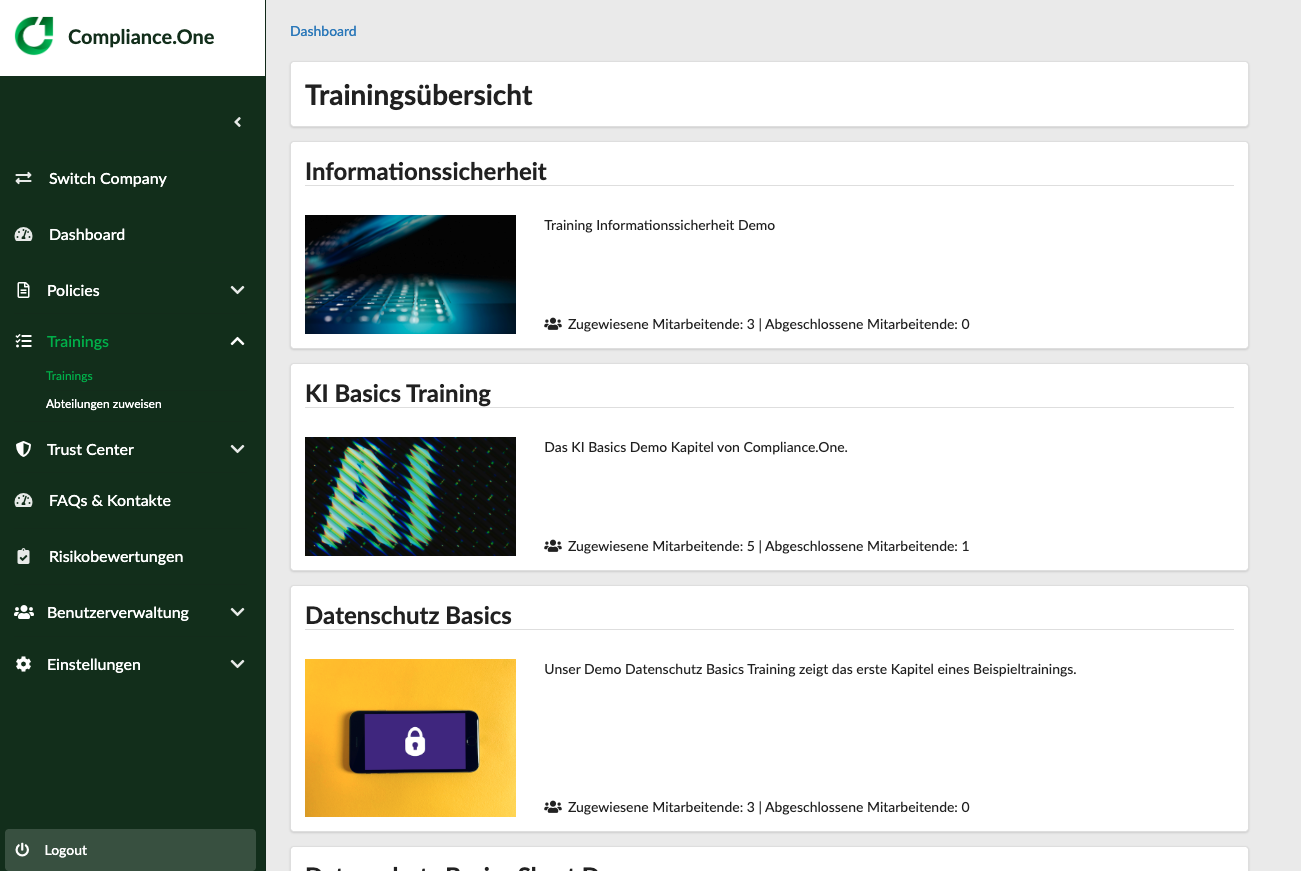
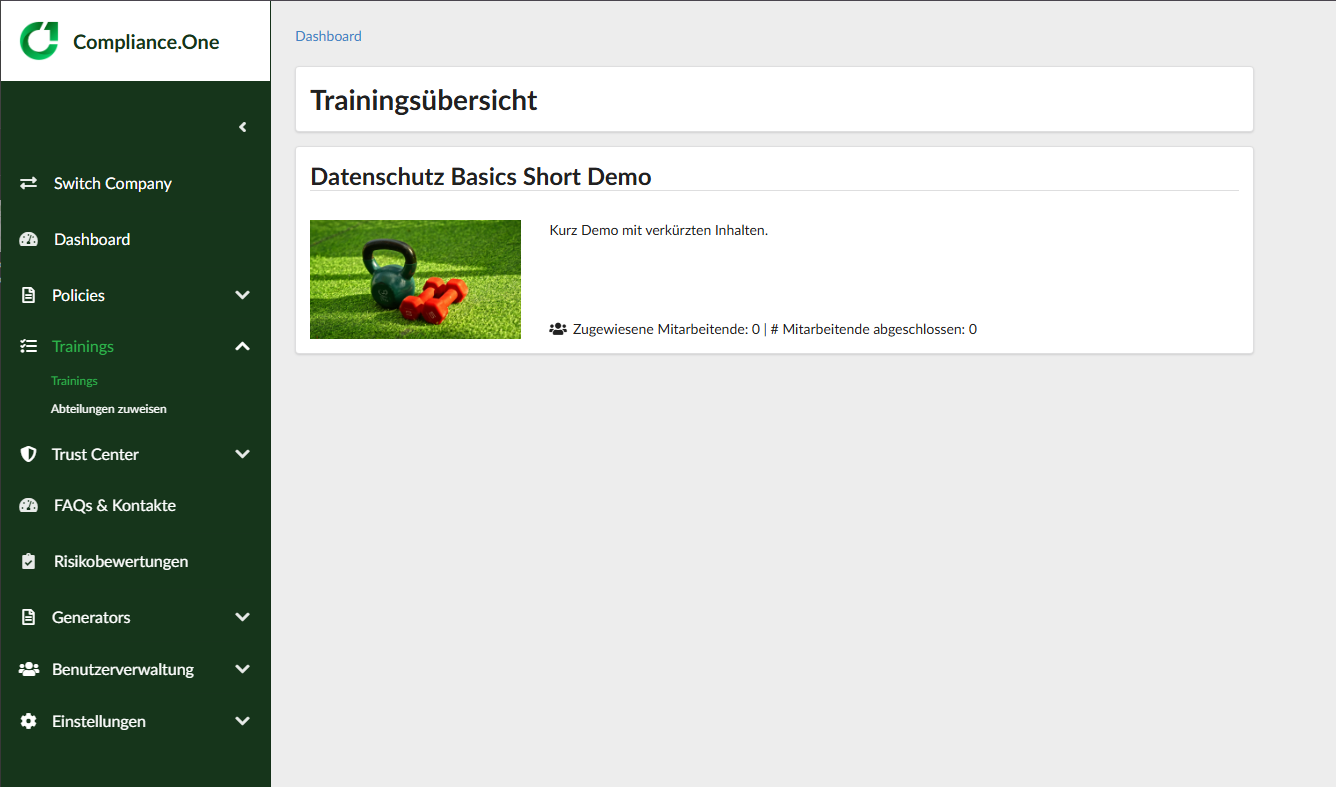
Admin Overview
Select employees, departments, or groups by matrix and assign trainings directly. Invitations are sent automatically.

Features
Trainings are managed centrally in the Admin Cockpit.
Evidence
Assigned employees, employees who have completed, and the status are visible on the training card.
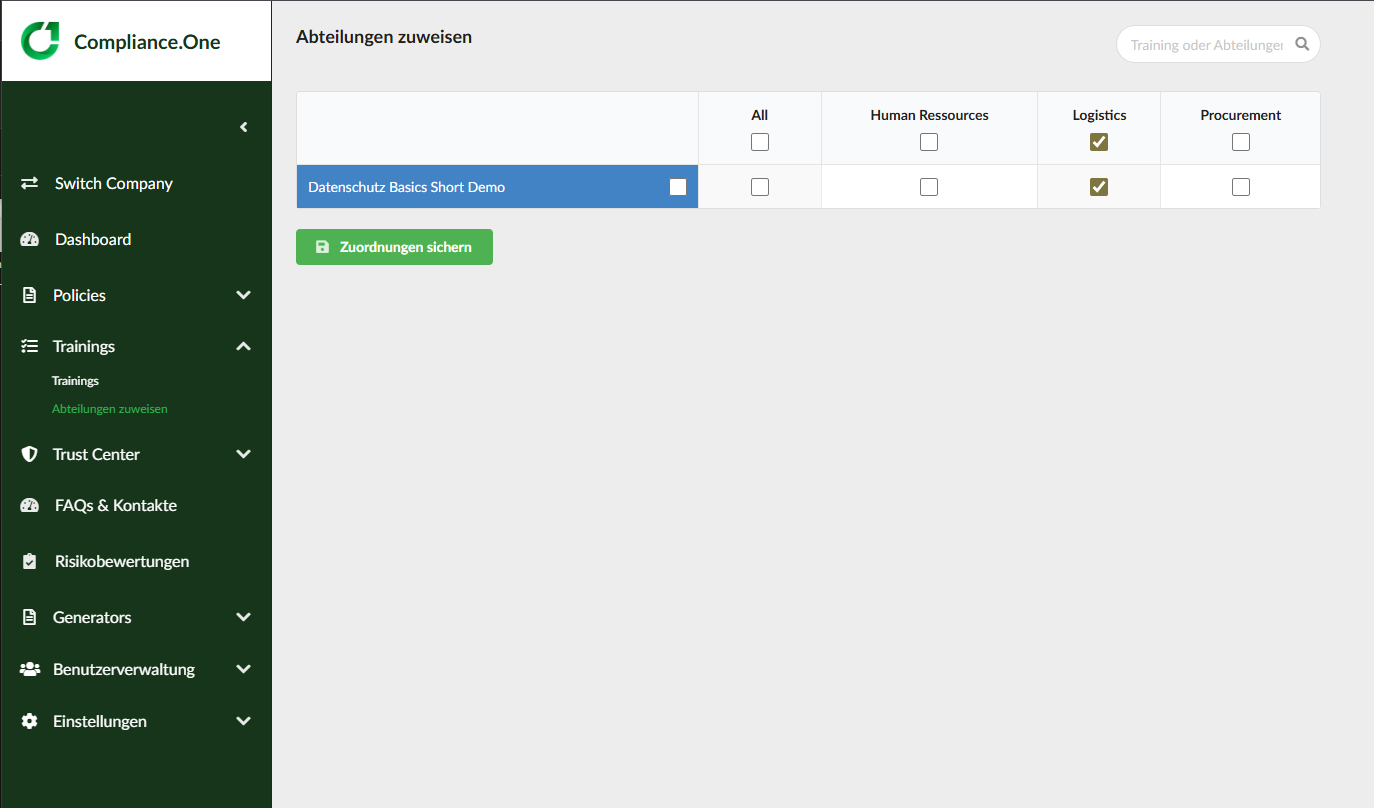
Matrix Assignment
Assign trainings by target group.
Features
Trainings can be assigned by department or group, not manually person by person.
Evidence
Who was assigned to which training is documented in an audit-proof manner.
Employee Overview
Employees see their open and available trainings directly in their own portal.
Features
Open trainings are clearly displayed as training cards with their due date.
Evidence
Who has started or completed the training is traceable at any time.
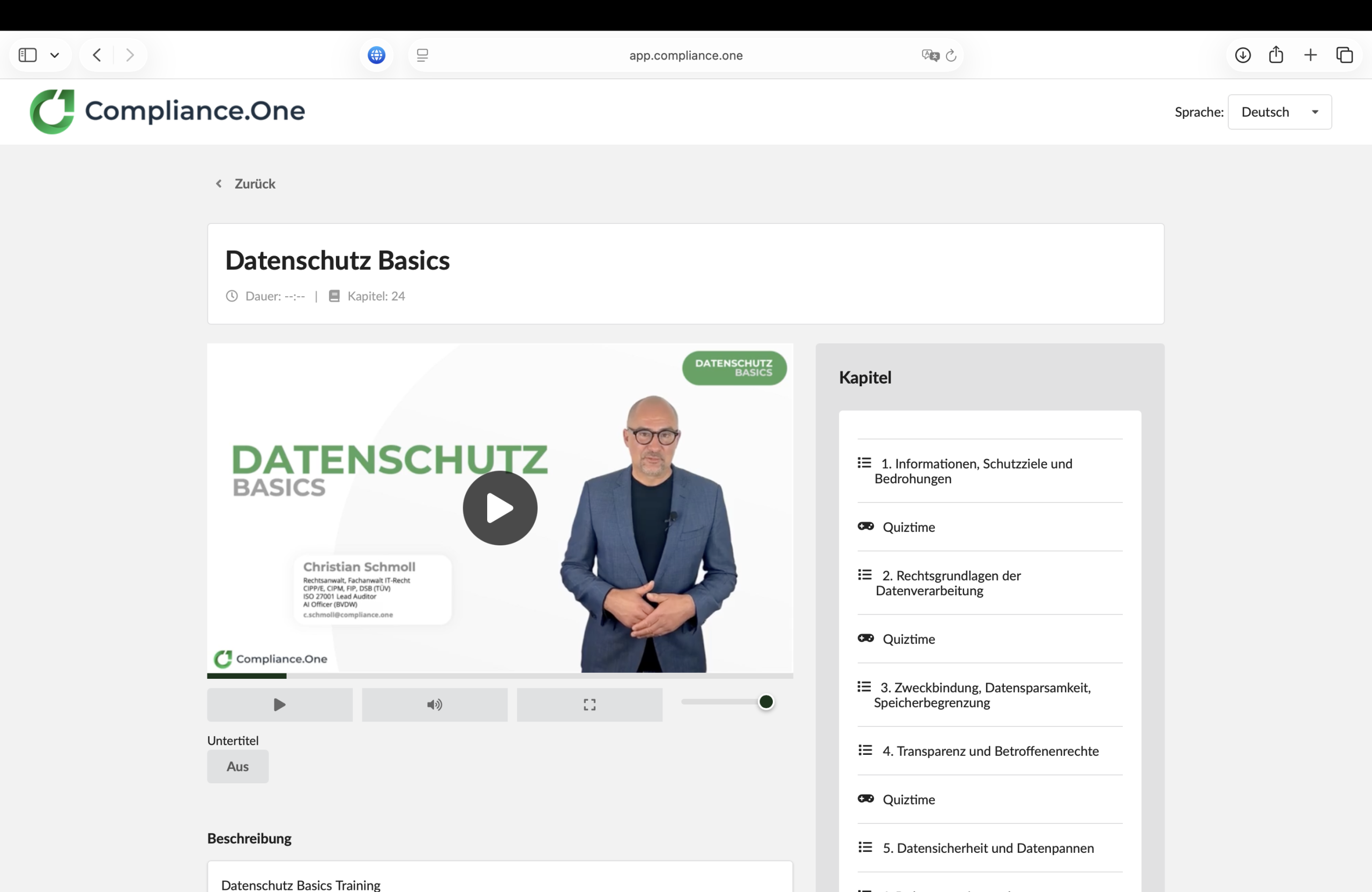
Training Player
The actual training takes place in a branded learning environment with chapters and controls.
Features
Video player with chapters, runtime display, and subtitles for a guided learning experience.
Evidence
Who has passed the required knowledge test is documented.
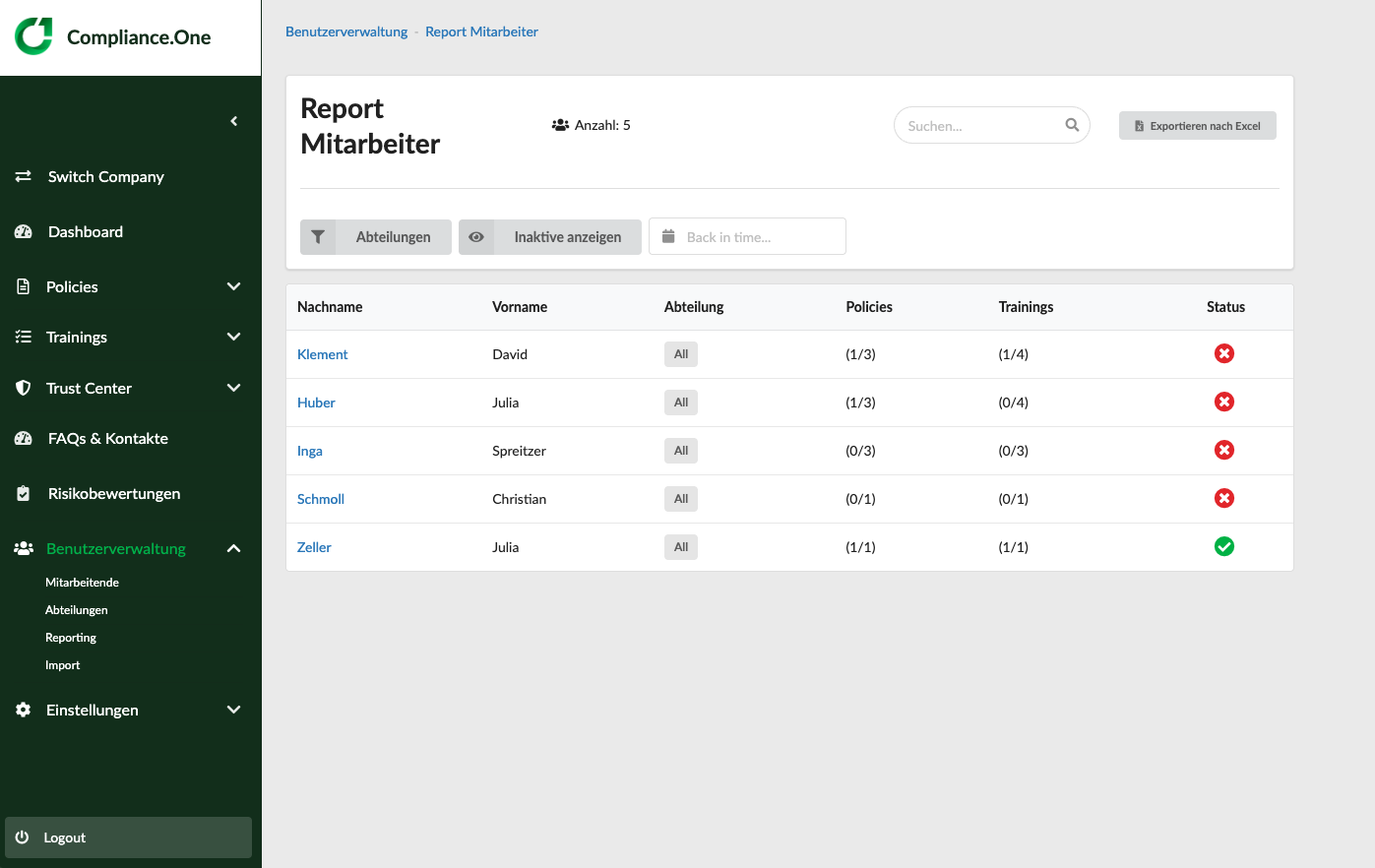
Status and evidence
Progress, completed trainings, and certificates become visible and documentable.
Features
Open tasks, compliance rate, and certificates at a glance, with reporting and export function.
Evidence
Which certificate exists and can be presented as proof at any time.
Benefits for different areas of the company

HR / Administration
Manages employees, assigns trainings, and reduces manual reminder effort.
Compliance / Data Protection
Checks training status, evidence, and audit requirements centrally in one place.
IT / Information Security
Assesses access logic, integrations, and security requirements without a complex implementation project.
Management
Keeps an overview of training rates and can prove at any time that mandatory trainings have been carried out.
Employees
Complete trainings independently and can access certificates and evidence at any time.
Compliance.Learning in the overall system
Shared features
Shared Admin Cockpit
Shared employee management
Shared departments and target groups
Shared reminder and reporting logic
Shared Employee Portal
Shared language and branding options
Useful combinations
1. Learning + Policies
Trainings and policies can be assigned to the same target group.

2. Whistle + Services
Reporting channels can be combined with an external ombudsperson or legal advice.
3. Trust + Policies
Documents can be managed internally and made visible externally where necessary.
4. Learning + Services
Training modules can be linked with expert support, e.g. data protection, AI, or information security.
Transparent. Modular. Predictable.
All modules can be booked individually and extended at any time – with no hidden costs.

Software
Compliance.Learning
from 99€
per training / month
Training assignment and Employee Portal access
Progress tracking and automatic reminders
Certificates and reporting
White label and HR integration
Optional: Your own training content
Optional: Industry-specific modules
Optional: Additional languages
Optional: Training customization
Frequently asked questions
Can we use our own training content?
Yes. Your own content can be uploaded and provided in the portal. Alternatively, ready-made trainings on data protection, AI, information security, and occupational safety are available.
Can trainings be assigned by department or group?
Yes. The assignment is made by matrix – by department, group, or individual employees.
How do employees get access to the training?
By email invitation, magic link, or QR code. A login account is not strictly required.
Can the module be used without company email addresses?
Yes. Access by magic link or QR code also works without a company email.
How are certificates created and stored?
After successful completion, a certificate is generated automatically and stored in the portal in an audit-proof manner.
Which languages are supported?
The platform is multilingual. Training content can be provided in different languages on request.
Can trainings appear in the company's corporate design?
Yes. Logo, colors, and domain can be configured individually.
Schau Dir das Modul live im Portal an.
Wir zeigen Dir alle wichtigen Features wie Einrichtung, Zuweisung, Abschluss und dokumentierte Nachweise in einer fokussierten Modul-Demo.
Anmeldung zum Newsletter
Wir halten die Texte kurzweilig und verständlich. So wird sogar ein trockener Compliance-Artikel zur angenehmen Lektüre beim Morgenkaffee. Probier den Newsletter doch einfach mal aus. Wissen ist Macht und wir liefern es Dir frei Haus!