WHISTLE MODULE
Provide secure reporting channels and structured case intake.
Compliance.Whistle enables you to provide secure reporting channels, handle incoming reports in a structured way, and document the entire process traceably – anonymously, pseudonymously, or transparently.

Submit reports anonymously, pseudonymously, or transparently
Handle cases in a structured way

Reporting channel ready to go in a few minutes

Document case handling in an audit-proof manner

How Compliance.Whistle works

Set up the reporting channel
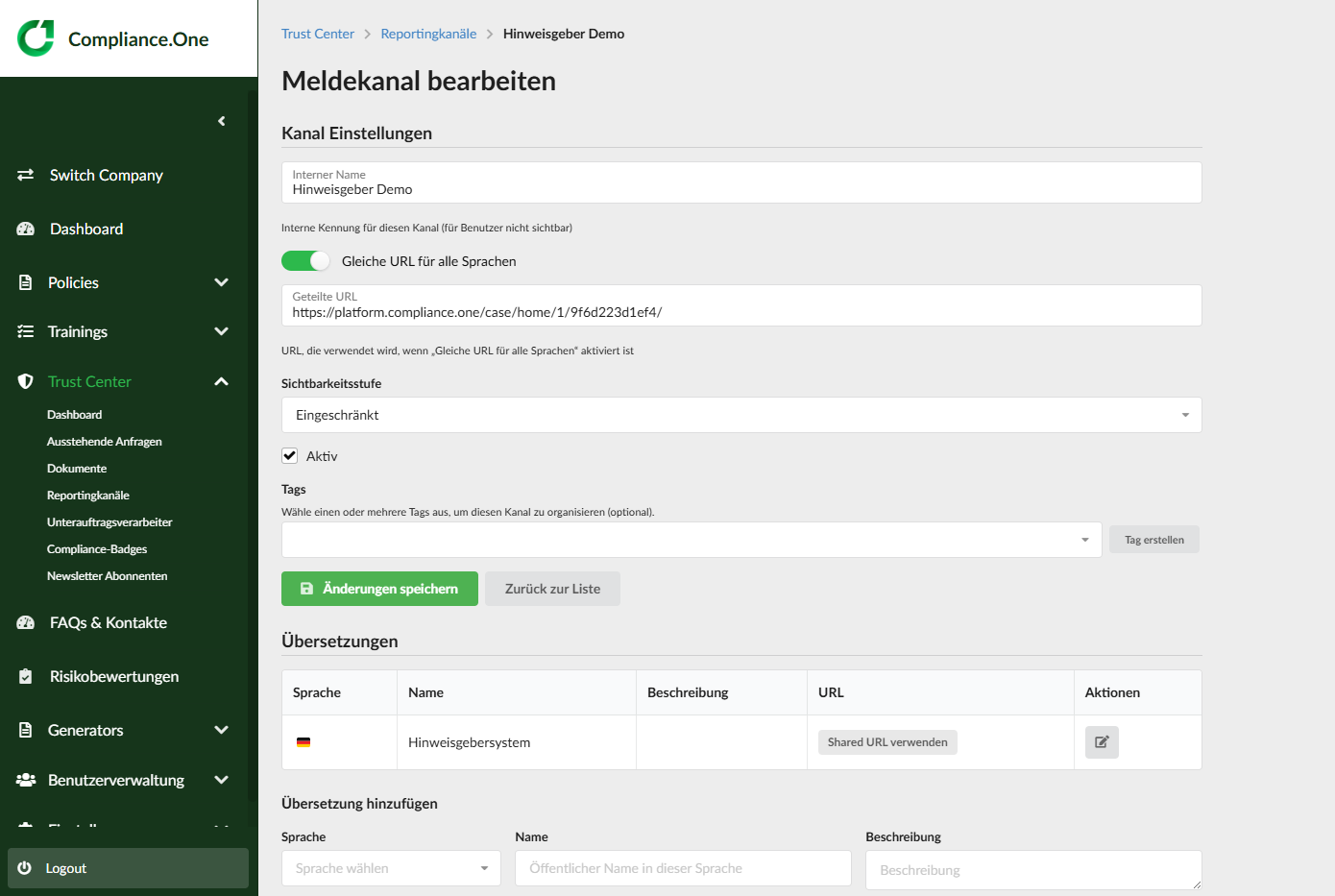
The reporting channel is configured for the company and published in the Trust Center. Accessibility and language can be set individually.



Define accessibility
Public or protected access is defined. This is how you determine who can access the reporting channel and which information is visible.


Submit a report
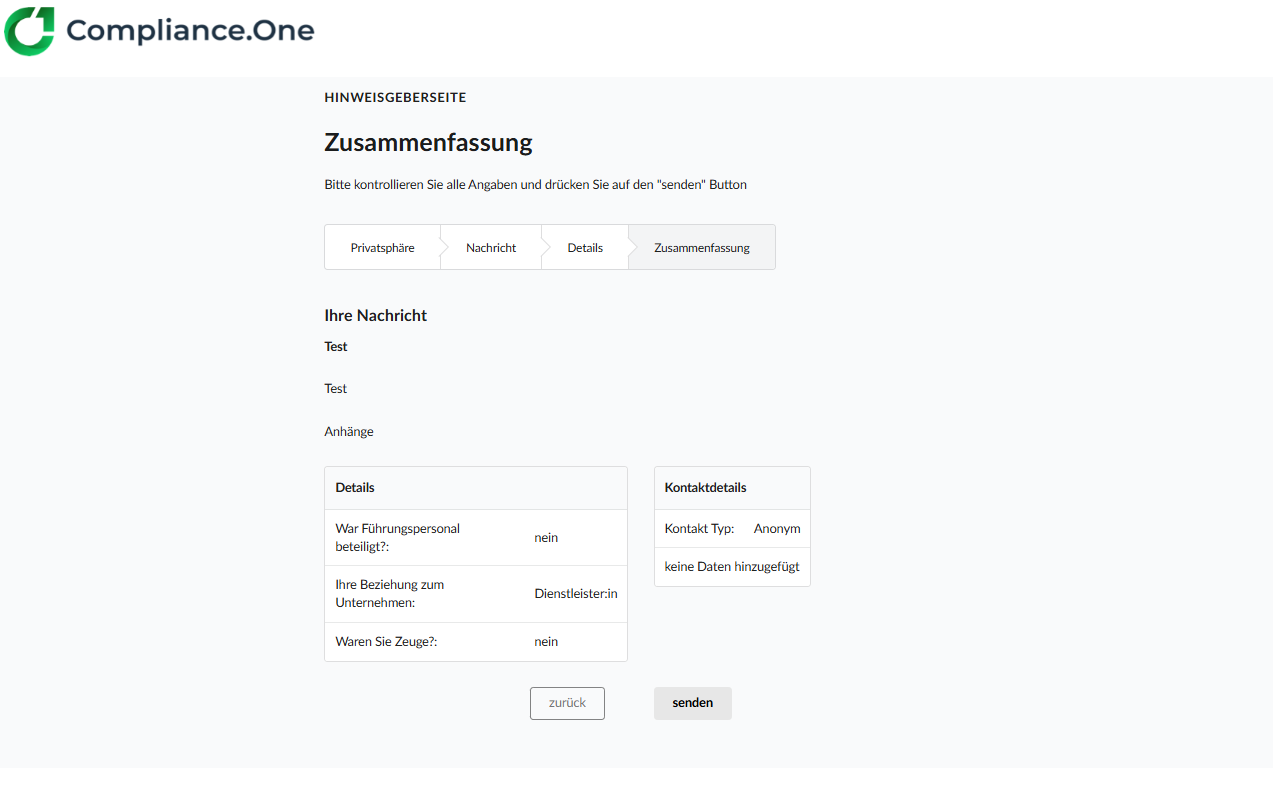
Whistleblowers submit their report anonymously, pseudonymously, or transparently. The process guides them step by step through message, attachments, and a summary before sending.

Handle the report
The responsible office reviews incoming reports centrally and handles each case in a structured way. Follow-up questions and additional information are added directly in the system.

Document the outcome
The processing status and outcome of every report are documented in an audit-proof manner. This way, it remains traceable at all times which cases are closed.


Evaluate and follow up
Admins evaluate the status of all cases and export data as needed. This way, you keep an overview of open and closed reports at all times.

Features & evidence
Real processes. Clear evidence. Audit-proof documentation across all modules of the Compliance.Portal platform.
Admin Overview
The reporting process guides whistleblowers step by step through message and attachments.

Features
Messages and file attachments can be uploaded directly in the form.
Evidence
Incoming report data is captured and stored in a structured way.
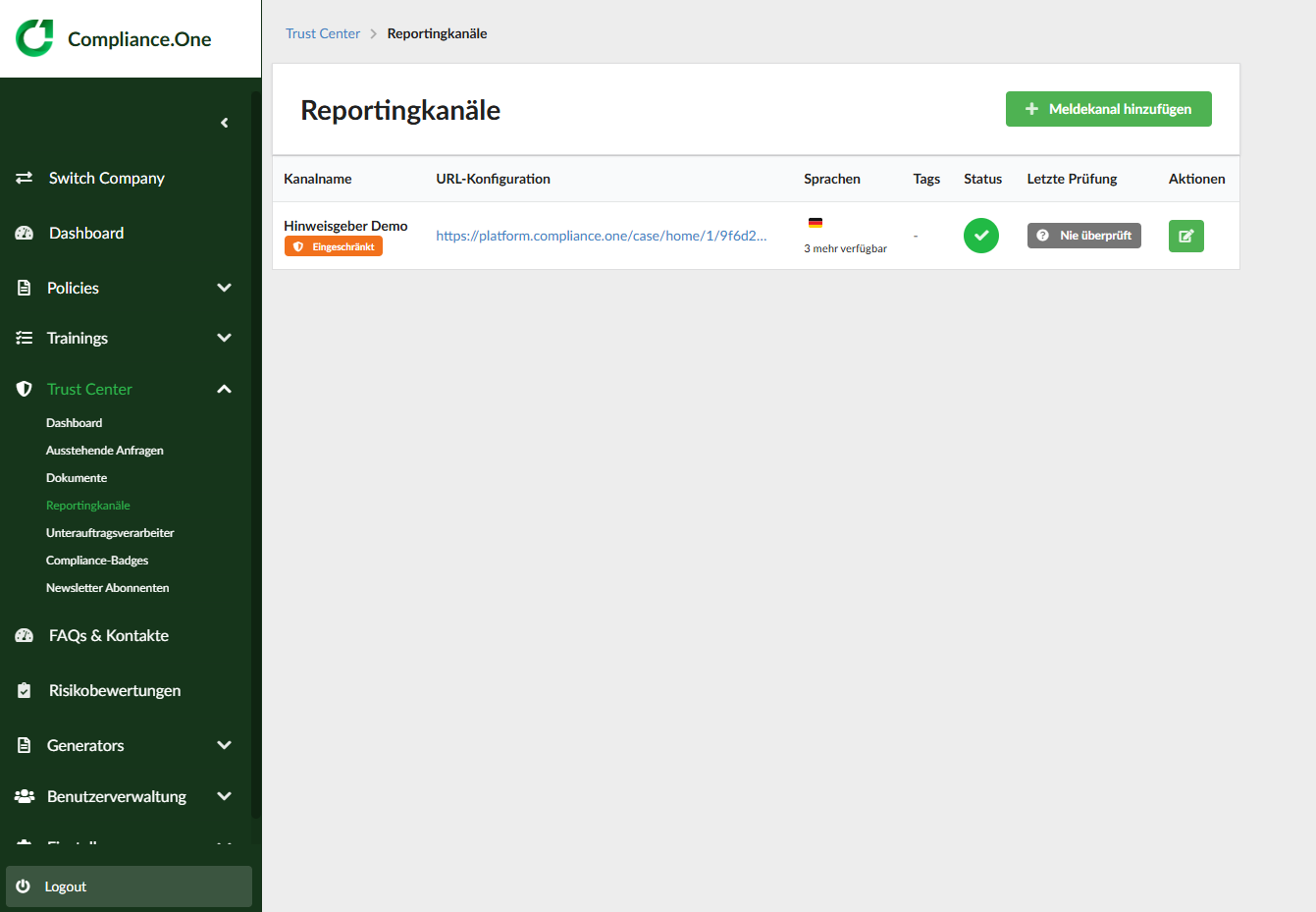
Report details
Whistleblowers can add further information before the report is completed.
Features
Detail fields allow more precise information and follow-up questions on the report.
Evidence
Added information is assigned to the respective case and documented.
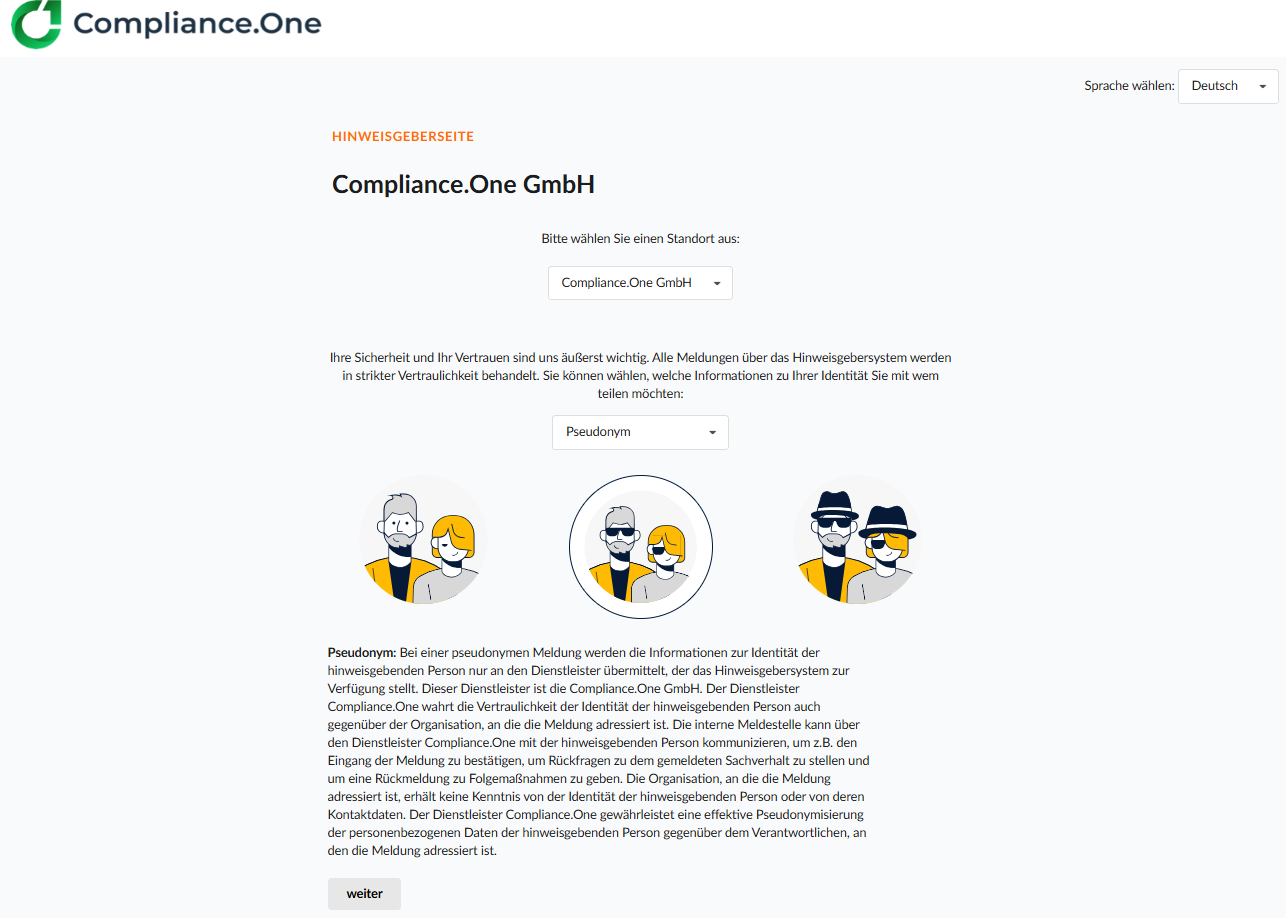
Summary
Before final submission, the whistleblower receives a summary of the report.
Features
All details are clearly displayed for review before the report is sent.
Evidence
The final confirmation and the time of submission are documented.
Admin case handling
Incoming reports are managed and handled centrally in the Trust Center Dashboard.
Features
Case status and processing history can be viewed by the responsible office at any time.
Evidence
Admins evaluate the status of all cases and export data as needed. This way, you keep an overview of open and closed reports at all times.
Benefits for different areas of the company
Management
Sees whether reporting channels are operated in a legally sound and verifiable way.

HR / Administration
Configures the accessibility of the reporting channels and manages the visibility of links.
Compliance / Data Protection
Handles incoming reports in a structured way and documents the course of the case.
IT / Information Security
Assesses access logic, confidentiality, and integration of the reporting channels without a complex implementation project.

Employees
Submit reports anonymously, pseudonymously, or transparently and receive secure access to the reporting channel.
Compliance.Whistle in the overall system
Shared features
Shared Admin Cockpit
Shared employee management
Shared configuration options
Shared reminder and reporting logic
Shared Employee Portal
Shared language and branding options
Useful combinations
1. Learning + Policies
Trainings and policies can be assigned to the same target group.

2. Whistle + Services
Reporting channels can be combined with an external ombudsperson or legal advice.
3. Trust + Policies
Documents can be managed internally and made visible externally where necessary.
4. Learning + Services
Training modules can be linked with expert support, e.g. data protection, AI, or information security.
Transparent. Modular. Predictable.
All modules can be booked individually and extended at any time – with no hidden costs.

Software
Compliance.Whistle
from 99€
per training / month
Reporting channel setup and public access
Anonymous, pseudonymous, and transparent reporting options
Central case handling and reporting
White label and HR integration
Optional: Additional languages
Optional: Customized reporting forms
Optional: Advanced case handling workflows
Frequently asked questions
Can we use our own content or documents?
Yes, your own texts and documents on the reporting process can be stored and displayed in the reporting channel.
How is the confidentiality of whistleblowers ensured?
Reports can be submitted anonymously, pseudonymously, or transparently. The chosen level of confidentiality is maintained throughout the entire process.
Who is responsible for handling the reports?
The responsible office is configured in the Admin Cockpit and receives access to incoming reports.
How is case handling documented?
The processing status, course of the case, and outcome of every report are documented in an audit-proof manner.
Can the reporting channel be used without employee email addresses?
Yes, the public reporting channel is accessible independently of internal employee data.
Which languages are supported?
The reporting channel can be provided in multiple languages so that whistleblowers can report in their own language.
How does the module connect with other areas of the portal?
Compliance.Whistle uses the same Admin Cockpit and the same reporting logic as the other modules.
Which services can be added?
External ombudsperson, reporting office service, legal advice, and whistleblowing training.
Schau Dir das Modul live im Portal an.
Wir zeigen Dir alle wichtigen Features wie Einrichtung, Zuweisung, Abschluss und dokumentierte Nachweise in einer fokussierten Modul-Demo.
Anmeldung zum Newsletter
Wir halten die Texte kurzweilig und verständlich. So wird sogar ein trockener Compliance-Artikel zur angenehmen Lektüre beim Morgenkaffee. Probier den Newsletter doch einfach mal aus. Wissen ist Macht und wir liefern es Dir frei Haus!